Enginefall
Red Rover Interactive
Not Yet Released
UE5
C++
UI
Gameplay
Leadership
Overview
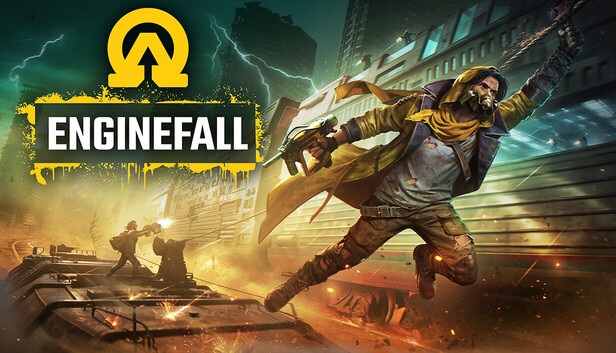
For around 2 years, I have been working on Enginefall.
I have taken on a number of roles, such as Gameplay Programmer, UI Programmer, and Strike Team Lead.
Here are some of my responsibilities:
- Lead the Social Gameplay and PvP strike teams
- Organized meetings, drove team initiatives
- Owned, Concepted, Designed, Proposed, Implemented, and Maintained several features
- Gunplay and Combat code
- Recoil System
- Recoil Spray Patterns
- Interruptible Shotgun Reloads
- Riot Shields
- TRACE System
- Ladders (harder than it sounds!)
- UI Work
- World-to-Screen transforms for grenade and waypoint indicators
- Inventory System & slots work
- Tools
- I’ve also worked on several tools, including a recoil visualization tool
Features
I got to work on lots of really cool stuff on Enginefall, here’s a more in-depth look at some of the highlights.
Combat and PvP
Recoil System
The recoil system was set up to be physically realistic (as reasonably possible), the chief inspiration for the system was Counter-Strike 2.
The recoil system involved a few moving parts:
- Simulating the force a bullet imparts on a player, and moving the crosshair accordingly
- Returning the crosshair back to center once the player stops firing (using some fancy spring equations)
- Measuring the mouse movement of the player whilst firing, and offseting the recovery value
- Random variance per shot, dictated using GAS Attributes
These elements together created a system where a designer could assign per-bullet forces on the weapon, allowing them to create spray patterns. Then when a player fires, the recoil is simulated accurately, and once they stop firing the character recovers from the recoil. The player themselves could also try to offset the recovery and become more accurate.
Recoil Visualization Tool
The recoil system was set up to be very flexible, but as a result of this flexibility, it now took quite a long time to create and tweak patterns.
Every time a designer wants to change a spray pattern, they’d have to open the weapon, go to the bullets, change the forces, load the game up, get a weapon, and finally fire it against a wall. Each iteration could take several minutes, which is obviously too slow.
To remedy this I created the Recoil Visualization Tool.
This tool did a few things:
- Allowed you to select a weapon
- Displayed the spray pattern for that weapon
- Updated in real-time as you edited the weapon bullet array
- Allowed you to scrub through the pattern per-bullet
- Display the old pattern as reference
- Adjust the recoil system variables to see the effects it has on the pattern
It did all of this in Editor time, meaning you didn’t even have to launch the game to iterate on spray patterns!
Interruptible Shotgun Reloads
This was mostly animation work, helping to set up the animations so the sections run in the correct order, loop appropriately, and then transition out of it smoothly afterwards. The system also needed to support animation cancelling, which was allowing the player to shoot before the gun was fully reloaded.
The animation work I did here was also used on other weapon reloads to allow anim cancelling, and for looping animations for consumable items.
Riot Shields
Implementing the Riot Shield involved allowing items to use their parent’s Ability System Component for Combat logic, but use their own attributes for tracking health. This work also involved setting up Gameplay Cues for audio.
TRACE System
This is a system I owned, designed, and implemented, that aimed to solve “toxic PvP”. The idea is that the more you kill people, the more difficult the game becomes. We did this by giving each player a trace score. When a threshold was passed, the game would introduce a challenge, such as revealing your location briefly when you kill someone. At extreme levels, the TRACE System would send NPC Guards to hunt you down (though I did not implement the bots).
The thresholds for TRACE were fully customisable and very flexible, they could be changed per-carriage, per-train, or for the whole game. This also came with some UI work, audio work, and some tech art implementation for player outlines. I also created a range of cheats and debug information for this system, allowing QA to test very easily.
Ladders
I was responsible for implementing ladders, and spent a while iterating and making them feel smooth. They needed to support the player moving up and down, restrict lateral movement somewhat to prevent falling off, traverse facing the ladder or facing away.
They needed to dismount and mount smoothly, catch the player at the top, but don’t catch the player too well otherwise they’d get sucked in accidentally.
They also needed to support curved and kinked ladders.
And finally, they needed to have a satisfying jump-off and re-attach, to allow jumping between ladders.
All of this was difficult to do, but the end product felt amazing (or at least I thought so, others probably thought “they’re just ladders, what’s the big deal?”)
Inventory Work
Coverage System
Enginefall had lots of clothing items, and Art asked for a system that allowed for interactions between these clothing items.
I created a system that detected when clothes were covering each other and then would allow artists to select from some default behaviour, or create custom behaviour per-item.
For common operations, I implemented a solution where we could create generic blueprints to apply operations to clothing items, the system allowed multiple effects to be chained up. This meant the system was very flexible, allowing us to create effects like hiding items, swapping out meshes, applying VFX, and more!
Filtered Slots
The filtered slots system allowed us to enforce item-types per slot. We wanted a clothing column and a utility column, but both had to point to the same inventory component, so as not to create extra work for the coverage system detailed above. In the end this was a pretty simple change, but I was happy with it nonetheless.
Misc UI Work
Object Tracking
The objective of this task was simple, convert world object locations into screen space, add a waypoint above them, and clamp them to the screen in an oval shape.
The task involved doing some pretty funky maths to manipulate world objects into screen space, since the default ProjectWorldLocationToWidgetPosition can fail, if the object is directly behind the player. After getting it in screen space, it was as simple as clamping to various shapes to prevent it going off the screen, or beyond the radius we set.
This was just a condensed list of all the awesome stuff I got to do on Enginefall, but hopefully it provided some insight into my role in bringing this title to life.